
Twitch is the world’s largest live-streaming platform for gamers, creators, and communities. It hosts millions of hours of livestreams every day, including gaming, esports tournaments, music streams, IRL content, talk shows, reaction videos, and more.
However, Twitch does not offer easy download options for most videos, and clips often disappear or get deleted after a short period. Some streams also expire after 14–60 days, making saving content even more difficult.
That’s why Cobalt Tools is the perfect solution.
With the Cobalt Twitch Downloader, you can download Twitch videos, highlights, past broadcasts (VODs), and clips instantly, free, fast, and without ads.
⭐ What Is Twitch?
Twitch is a livestreaming platform owned by Amazon, best known for:
- Gaming streams
- Esports competitions
- IRL (In Real Life) daily streams
- Commentary and reaction videos
- Music performances & DJ sets
- Creative categories (art, coding, cooking, etc.)
- Podcasts & talk shows
Creators broadcast their content live, and viewers watch in real time, interact via chat, and form communities.
However:
❌ Twitch does NOT allow direct downloads for most users
❌ Many VODs expire after a few days
❌ Clips can be deleted anytime
❌ Downloading requires third-party apps
This is exactly why Cobalt Twitch Downloader is essential.
🚀 Key Features of Cobalt Twitch Video Downloader
✅ 1. Download Twitch VODs in HD
Save Twitch videos in high-quality MP4 format:
- 1080p
- 720p
- 480p
- Adaptive quality (for slower connections)
Perfect for offline watching, reviewing gameplay, or studying strategies.
✅ 2. Download Twitch Clips Instantly
Twitch clips are short highlights created by viewers.
Cobalt lets you save them with one click:
- Funny moments
- Iconic reactions
- Pro gameplay
- Memorable stream highlights
Even if a clip gets deleted later, your download stays safe.
✅ 3. Convert Twitch Videos to MP3
Want only the audio from a Twitch stream?
Cobalt extracts MP3 audio from:
🎧 Podcast-style streams
🎶 Music & DJ sets
🎤 Commentary videos
📚 Educational streams
🎬 Interviews & talks
Great for listening offline.
✅ 4. No Login, No Software, No Ads
You don’t need:
❌ A Twitch account
❌ Any app installation
❌ Premium subscription
❌ Annoying pop-ups or ads
Cobalt is 100% free, clean, and web-based.
✅ 5. Unlimited Free Downloads
Save as many Twitch VODs and clips as you want with no daily limits.
✅ 6. Works on All Devices
Cobalt supports all browsers and devices:
📱 Android phones
📱 iPhone / iPad
💻 Windows
💻 Mac
🧭 Chrome, Safari, Firefox, Edge
Your downloads work everywhere.
✅ 7. Safe, Secure & Private
Cobalt protects your privacy:
✔ No tracking
✔ No download logs
✔ HTTPS encryption
✔ Fully secure environment
Your downloads stay private forever.
🔧 How to Download Twitch Videos Using Cobalt
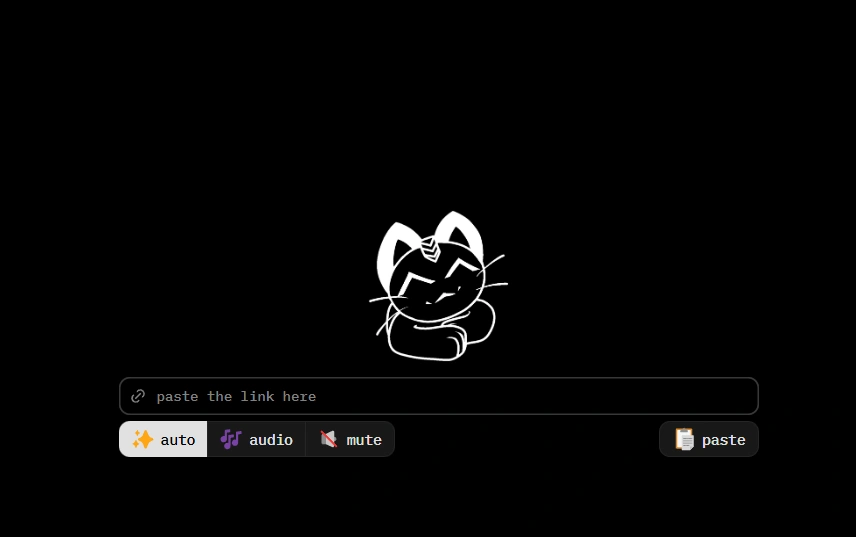
Step 1: Copy the Twitch Video or Clip Link
Open Twitch → tap Share → Copy Link.
Step 2: Go to Cobalt Tools
Open your browser and visit the Cobalt Twitch Downloader page.
Step 3: Paste the Twitch URL
Insert the video or clip link into the input field.
Step 4: Choose MP4 or MP3
Select your preferred format.
Step 5: Download instantly
Your file will save immediately to your device quickly, smoothly, and reliably.
🌍 More Than Twitch Cobalt Supports All Major Platforms
With Cobalt, you can also download from:
- YouTube
- TikTok
- Twitter (X)
- Snapchat
- SoundCloud
- Vimeo
- Dailymotion
- Bilibili.com & Bilibili.tv
One tool for all video and audio downloads across the web.
⭐ Why Twitch Users Love Cobalt
Cobalt is perfect for:
🎮 Gamers reviewing gameplay
🏆 Esports fans saving matches
🎧 Music lovers saving DJ sets
📚 Students saving educational streams
💬 Reaction stream fans archiving moments
📱 People who want offline content for travel
🎥 Content creators repurposing clips
Whether you’re a streamer, viewer, or creator, Cobalt makes Twitch downloads fast, simple, and completely free.
📥 Start Using Cobalt Twitch Downloader Today
Save Twitch videos, clips, highlights, and audio instantly in full quality, without ads, and without limits.
👉 Fast. Private. Unlimited. The easiest way to download from Twitch.
Perfect for gamers, creators, students, and entertainment lovers worldwide.